SQLite Browser
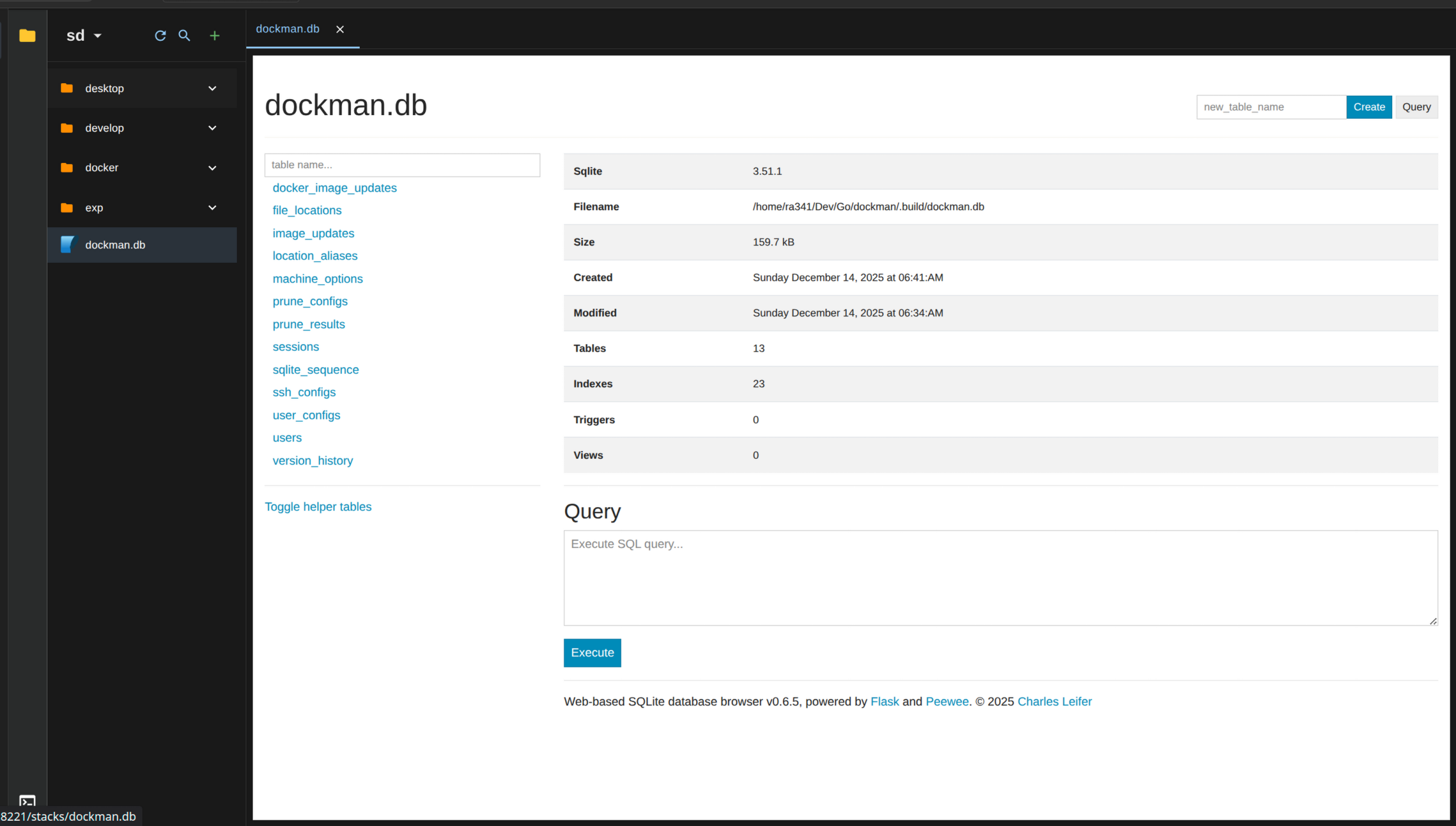
Dockman includes a 'built-in' SQLite browser so you can view and edit databases right in the file explorer.
How it works
Under the hood, Dockman uses sqlite-web, a Python-based SQLite GUI by @coleifer. (Go show them some love!)
When you open a .db file:
- Dockman spins up a container with sqlite-web
- Mounts your database file
- Embeds the UI in an iframe
You get a native-looking window just like any other file. Close the tab and the container auto-removes itself.
note
Only files ending in .db are supported at this time
Usage
Just click any .db file in the file explorer and it'll open automatically.
Example: Opening myapp.db to check user records or tweak settings.
warning
Stop any containers using the database first! Editing a DB while it's in use can corrupt your data. You've been warned 😅