Auth
This section outlines how to configure authentication for Dockman.
Dockman supports two authentication methods: Basic Authentication and OpenID Connect (OIDC).
Basic Authentication
To enable standard username and password authentication, add the following environment variables to your
docker-compose.yml or .env file:
DOCKMAN_AUTH_ENABLE: "true"
DOCKMAN_AUTH_USERNAME: "admin"
DOCKMAN_AUTH_PASSWORD: "your-secure-password"
OIDC
OIDC support requires Dockman v2.5 or higher.
To configure OIDC, you need an HTTPS instance of an OIDC provider (like Pocket-ID, Keycloak, or Authentik).
Configure Provider
Create a new application in your OIDC provider. When asked for the Callback or Redirect URL, use the following format:
v3+ use
Note the /api is added
-
http://localhost:8866/api/auth/login/oidc/callback -
https://dockman.test.com/api/auth/login/oidc/callback
v2 use
Note the /api is removed
-
http://localhost:8866/auth/login/oidc/callback -
https://dockman.test.com/auth/login/oidc/callback
It is important that the above url is also the same when setting the DOCKMAN_AUTH_OIDC_REDIRECT_URL env
Icon
You can set the dockman app icon for provider using this url
https://raw.githubusercontent.com/RA341/dockman/refs/heads/main/ui/public/dockman.svg
Configure Dockman
Add the following variables to your docker-compose.yml or .env file using the Client ID and Secret generated by your
provider:
DOCKMAN_AUTH_ENABLE: "true"
DOCKMAN_AUTH_OIDC_ENABLE: "true"
DOCKMAN_AUTH_OIDC_ISSUER: "https://auth.example.com"
DOCKMAN_AUTH_OIDC_CLIENT_ID: "a56d5b8f-1801-4311-a6e6-ce69b4b1d7d2"
DOCKMAN_AUTH_OIDC_CLIENT_SECRET: "lUZvQ914A4YzdrONc3mCYrtXUoObYetl"
DOCKMAN_AUTH_OIDC_REDIRECT_URL: "http://localhost:8866/api/auth/login/oidc/callback"
If you encounter issues, please open a discussion on GitHub.
Disable https cookie
Dockman uses a state cookie that is https only by default.
This can cause issues for users using dockman in http.
Since the cookie is never set OIDC flow cannot be completed.
You can disabled this behavior by setting the flag, this will allow the cookie to be set in a http instance
DOCKMAN_AUTH_OIDC_SECURE=false
Prevent auto redirect
By default, once OIDC is enabled dockman will automatically redirect you to your provider
You can disable this by setting
DOCKMAN_AUTH_OIDC_AUTO_REDIRECT: false
Once set you choose which method to use on the login page
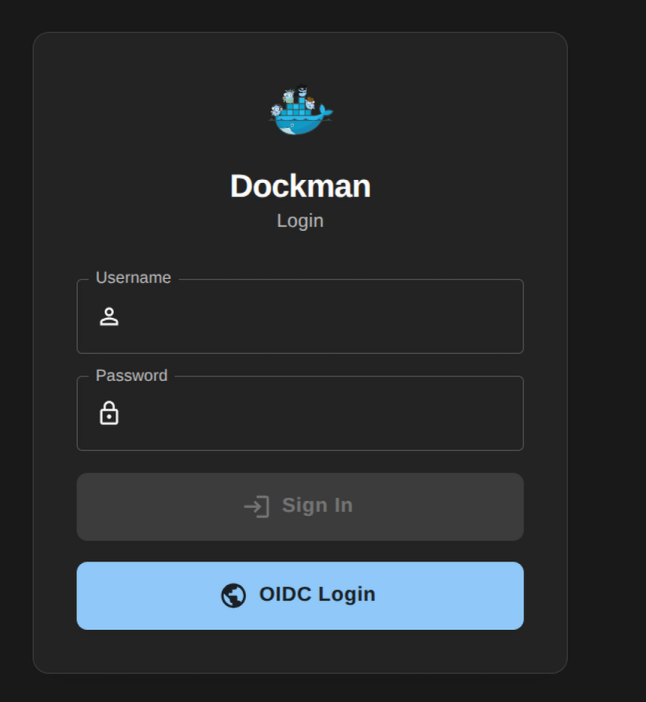
Customizing sessions
You can further customize auth sessions using the following envs
Cookie validity
Set the max cookie validity for a session
A duration string consists of a possibly signed sequence of decimal numbers, each with an optional fraction and a unit
suffix, such as 300ms, -1.5h, or 2h45m.
Valid time units are ns, us (or µs), ms, s, m, and h.
DOCKMAN_AUTH_EXPIRY = 24h # logged out after a day
Concurrent sessions
Set maximum concurrent sessions
DOCKMAN_AUTH_MAX_SESSIONS = 5 # oldest session is automtially removed